
Polk County Divorce Decree Lookup
Polk County Divorce Decree searches often begin with the public docket and end with the county file. WCCA gives you the first clean view. It can confirm the case, show the filing date, and point you to the case number you need. That helps when the record is old, when the names are common, or when you only have part of the paper trail. If you need a signed order, though, the county clerk still holds the real court file. The online search is the map. The decree is the record.
Polk County Divorce Decree Search
Wisconsin Circuit Court Access is the standard public starting point for a Polk County Divorce Decree search. You can search by party name, business name, or case number, then narrow the results by county, case type, filing date range, and case status. That matters because the portal gives you the docket trail, not just a yes or no answer. You can see the parties, the filing date, the case number, the judge, and the order of filings and hearings.
The public docket is useful, but it is still only a summary. WCCA does not provide full-text document downloads, and it excludes sealed matters, juvenile cases, expunged cases, and pre-judgment paternity matters. Polk County files filed before about 2000 may also be thin online. If that happens, do not treat the search as a dead end. Treat it as a clue that points you toward the county court file and the clerk who keeps it.
Keep the first search tight. Use the exact spelling you have, then widen the year range only if you need to. Common names can bring back too many results. A case number cuts through that noise. For Polk County users, a sharp WCCA search often makes the rest of the Divorce Decree request much easier.
Polk County Divorce Decree Forms
The Wisconsin Circuit Court Forms page is the main statewide source for the papers that sit behind a Polk County Divorce Decree. The family forms include FA-4101, FA-4102, FA-4139, FA-4150, and FA-4140. Those forms are the tools that move the case toward judgment. They matter even when you are not filing yourself, because they help you read what the docket is telling you.
The Circuit Court Forms page is also the right place to check if you need to file, answer, or finish a divorce case in Polk County. The image below comes from that state forms page and shows the same source people use when they need the right packet, not just a guess. It is a clean fit for a county page because the forms are statewide even when the decree is local.
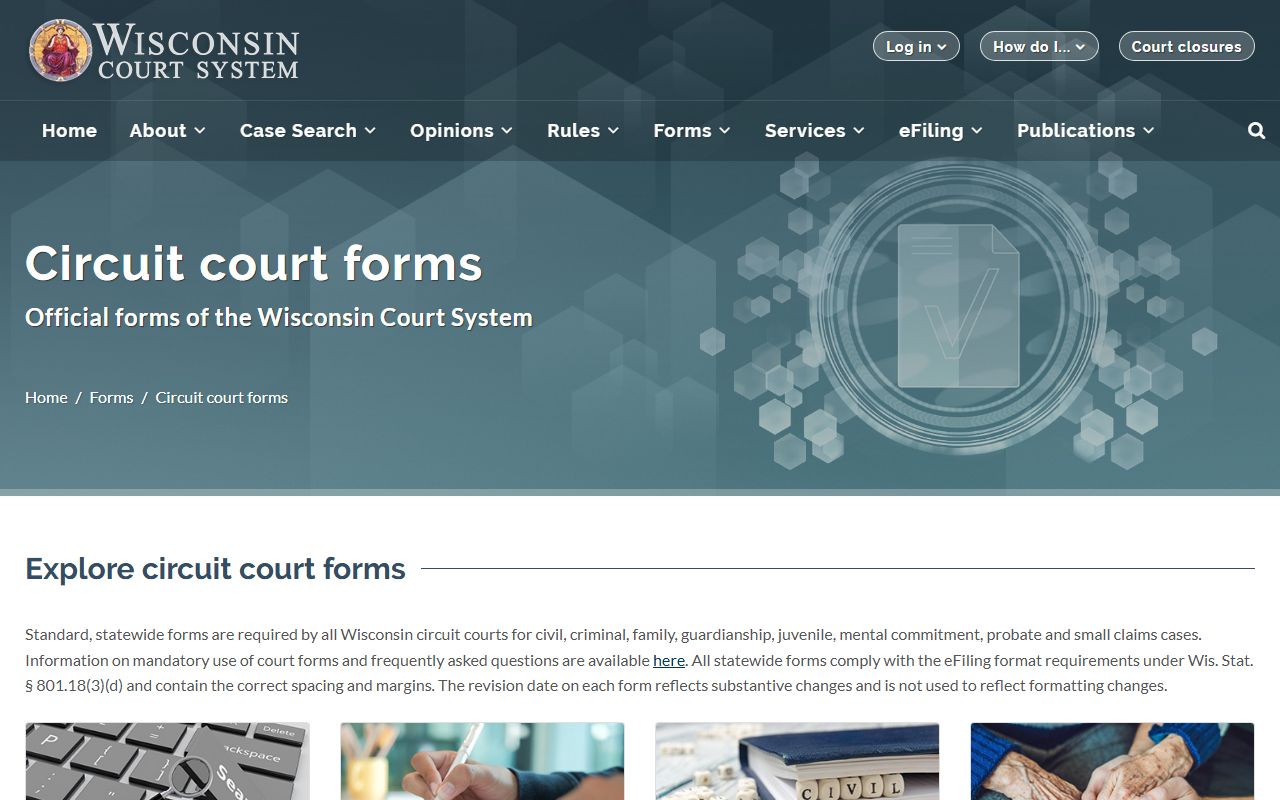
The forms page is more than a document shelf. It is the place where the case gets its shape. Once the papers are filed and the judgment is entered, the Polk County clerk of circuit court keeps the decree copy in the county file.
Wis. Stat. ch. 767 is the chapter that frames the divorce action itself. It gives the family case its legal structure, while the forms page gives you the papers that fit that structure. If you are trying to match a docket entry to a filing step, that chapter and the forms page work together.
Polk County Divorce Decree Records
A Divorce Decree is not the same thing as a divorce certificate. The Wisconsin Vital Records Office keeps divorce certificates from October 1907 to the present, but it does not keep the decree itself. The decree remains with the Clerk of Circuit Court in the county where the divorce was granted. That difference matters in Polk County because the certificate can confirm the event, while the decree shows the final court order.
The state vital records page also explains statewide certificate access that began on January 1, 2016. For divorces on or after that date, any Wisconsin Register of Deeds office can issue a divorce certificate. For older events, the Vital Records Office or the county Register of Deeds where the divorce occurred may still have the certificate. That helps if you only need a vital record, but it does not replace the county decree file.
If your goal is legal proof, keep the Polk County Divorce Decree in view. A bank, title company, benefits office, or another court usually wants the signed order, not just a certificate summary. The county clerk is the office that can copy the actual judgment from the file.
Polk County Copy Requests
Copy fees and search fees are guided by Wis. Stat. ch. 814. In Polk County, the best request names the case number first, then the spouse names, then the filing year if you have it. That keeps the search narrow. It also helps the clerk decide whether you need a plain copy or a certified copy of the Divorce Decree.
If the case number is missing, the request can still work, but the search may take longer. A copy of an old docket page or a WCCA printout can help a lot. The fee chapter does not change the record source. It just explains what the clerk may charge for searching and copying the file.
When people mix up a decree and a certificate, they often end up at the wrong office first. The DHS page is for the certificate path. The county clerk is for the decree path. Keeping those two record types separate is the fastest way to avoid a second trip.
Polk County Divorce Decree Help
The Wisconsin State Law Library can help when a Polk County Divorce Decree search needs more context. The library offers guides for using WCCA, reading docket lines, and finding the right Wisconsin statutes. That is useful if the case is old, if the names are hard to sort, or if you want to understand a hearing line before you ask the clerk for copies.
The library is a good place to cross-check Wis. Stat. ch. 767. That chapter frames the family action, while WCCA shows the public case data and the county clerk keeps the decree. When you are not sure whether you need a certificate, a docket summary, or the final order, the law library can help you choose the right record path.
For older Polk County files, start with the exact spouse names as they appear on the case and add the filing year if you know it. That small step can save time, cut false matches, and make a certified Divorce Decree request much cleaner.
Polk County File Notes
The public search is a guide, not the end point. Once a Polk County Divorce Decree case is found, the next step is to tie the docket to the county file and then ask for the right copy. That keeps the record request simple.
Use the online case view, the forms page, and the county clerk in that order when you can. The path is usually short, but it works best when each step stays in its lane. Search first, then confirm, then request the decree.